






A panel that fits your content
Instead of one big editor you get specific fields: service title, price, lead time, scope, reviews. You can't accidentally break the page layout.
Website with a CMS
I build fast Astro websites with a content panel that fits your team: Sanity, Payload or EmDash. You change text, images and posts yourself, and the site has no plugins to update and no login page exposed to attacks.
80+ projects for B2B companies
Who it's for
To be fair
A panel adds to the build cost. It doesn't always pay off, and I'll tell you so.
What's included
I design the panel around your content, not the other way round. Editors see the fields they know from their own website, not hundreds of options.
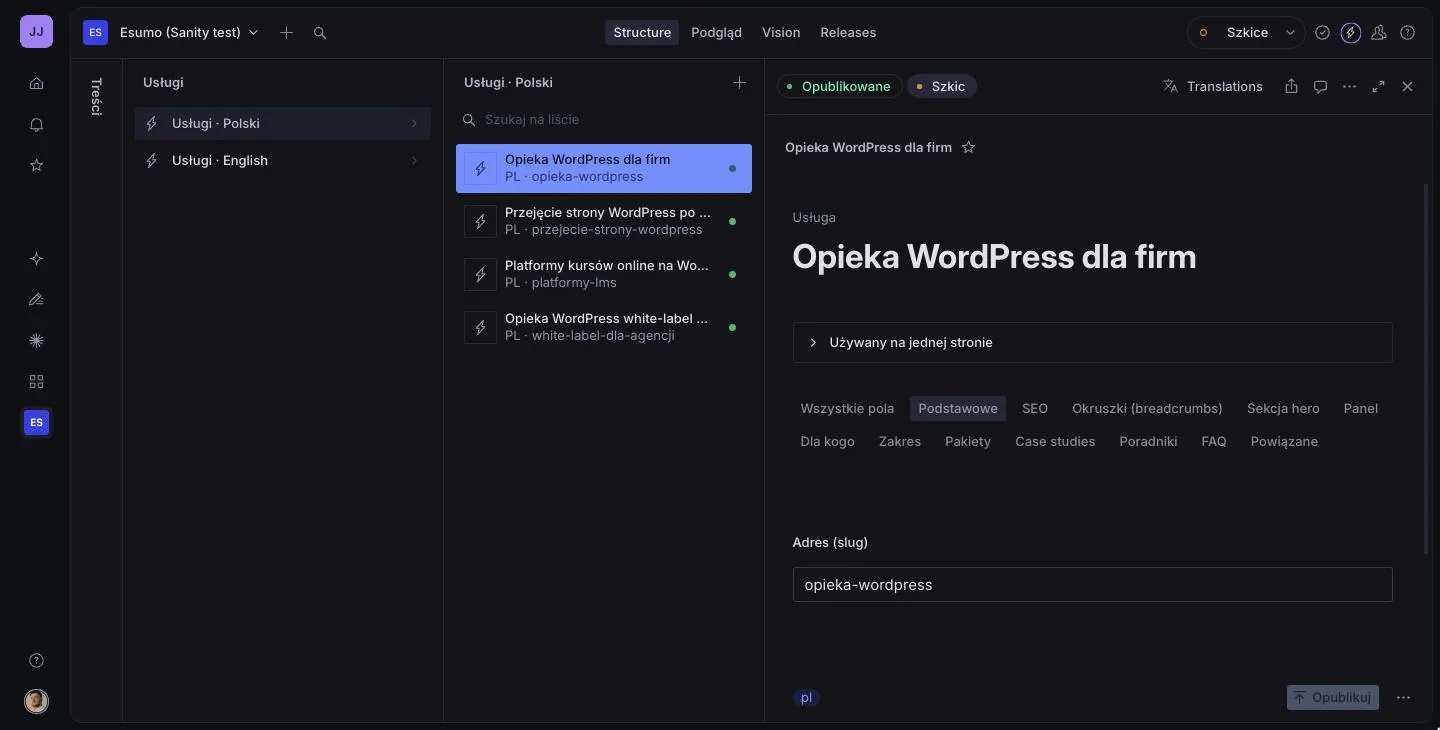
Instead of one big editor you get specific fields: service title, price, lead time, scope, reviews. You can't accidentally break the page layout.
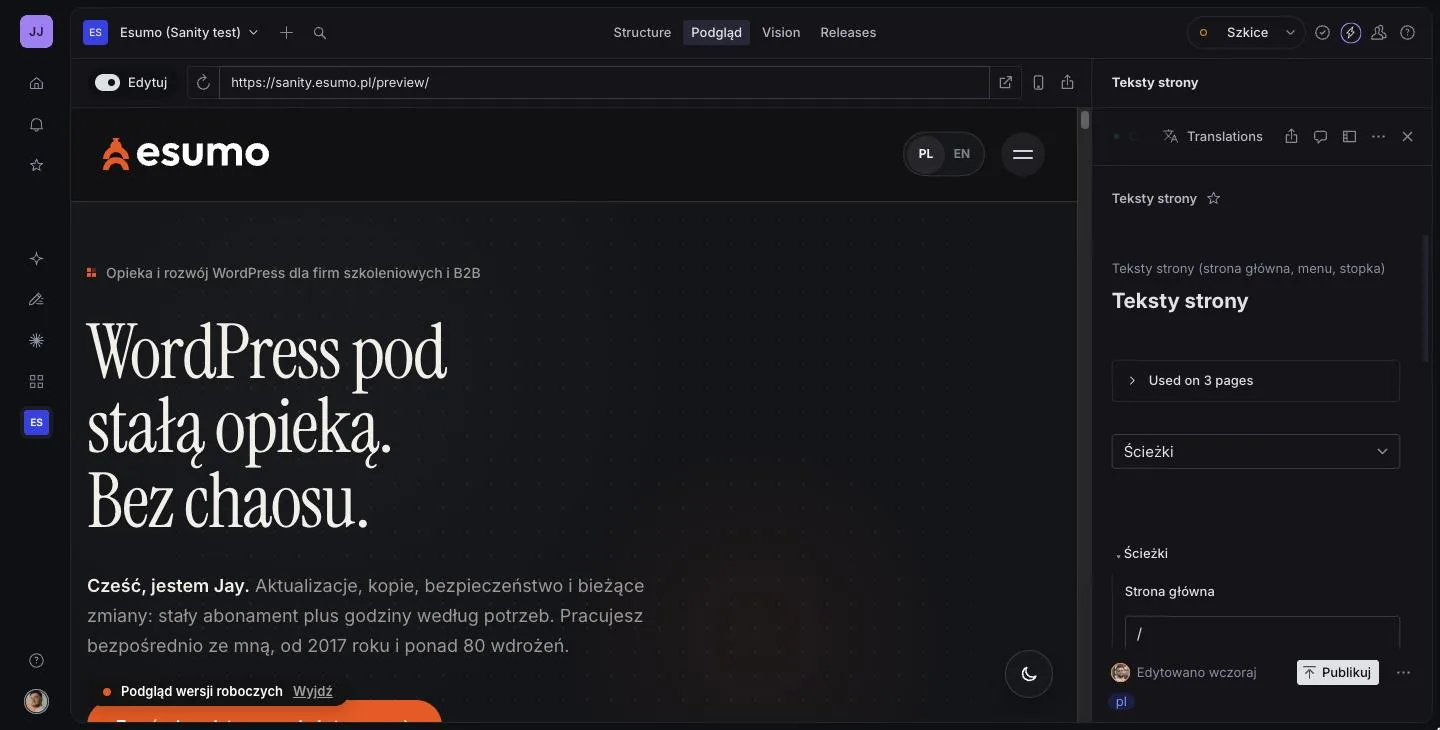
You see changes on the site before your clients do. In Sanity the preview is live: you type on the right, the page updates on the left.
The site is ready-made files built with Astro, so it loads fast and has no login page or database at its address. More in the headless CMS glossary entry.
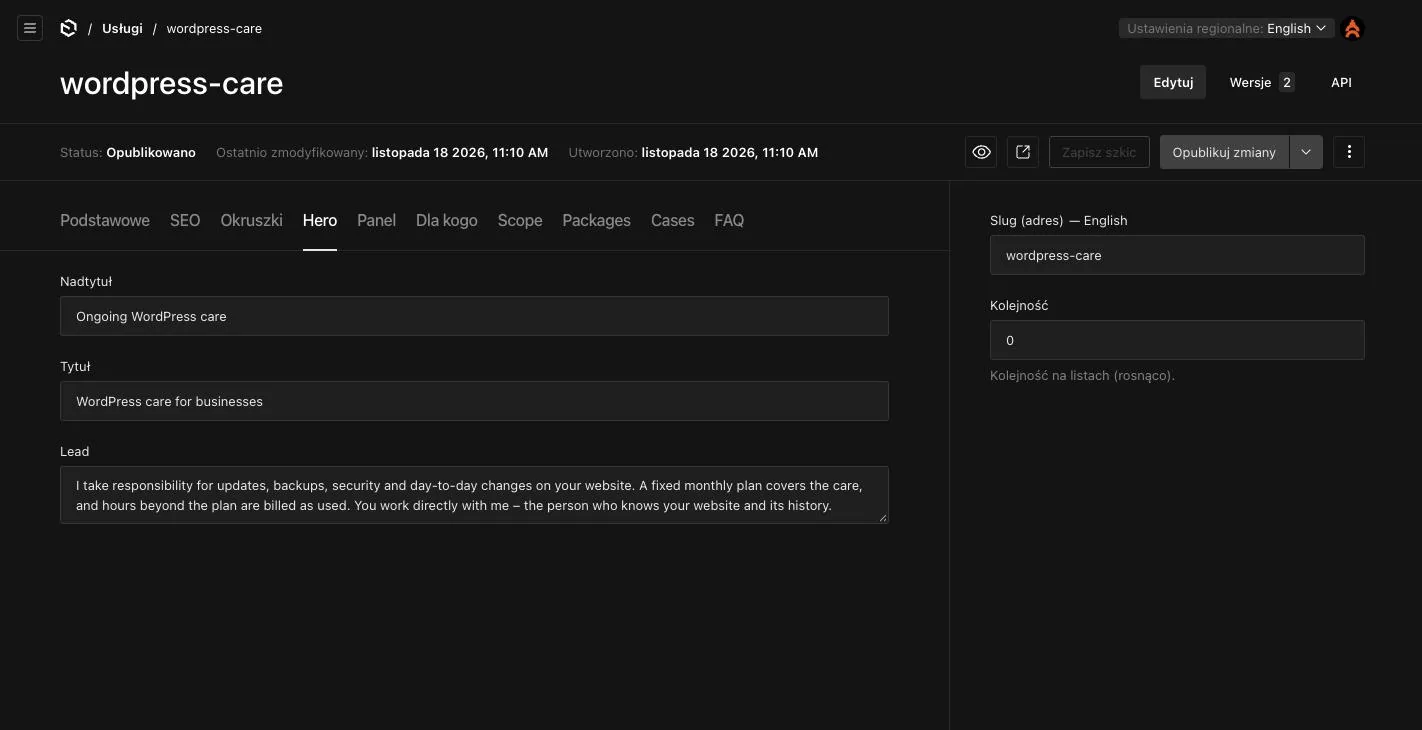
All three panels handle multiple languages. Translations are linked, so it's easy to see which version is missing.
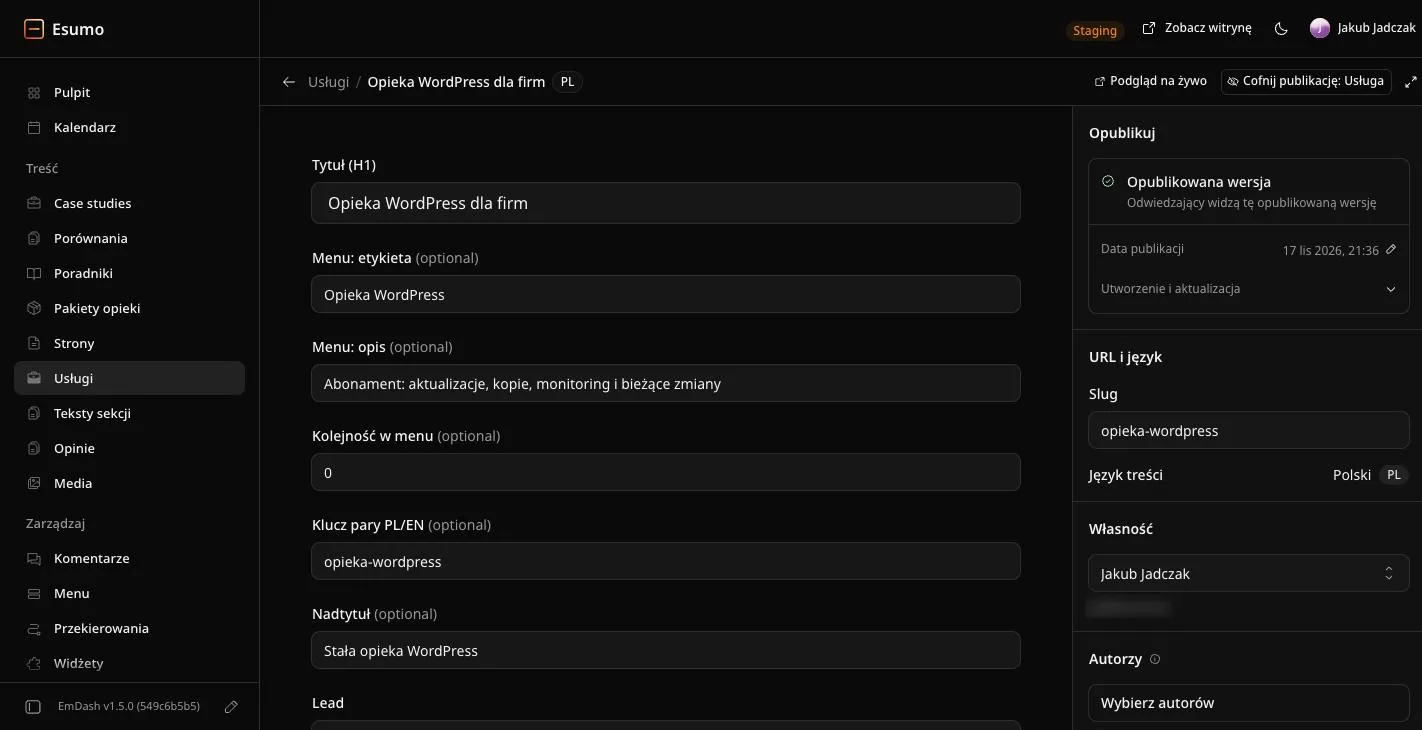
Sanity and Payload keep versions of your documents, so earlier content can be restored. In every panel you can also unpublish a change.
After launch I show your team how to use the panel and stay available for questions. On a care plan I keep developing the site and the panel.
The panel in practice
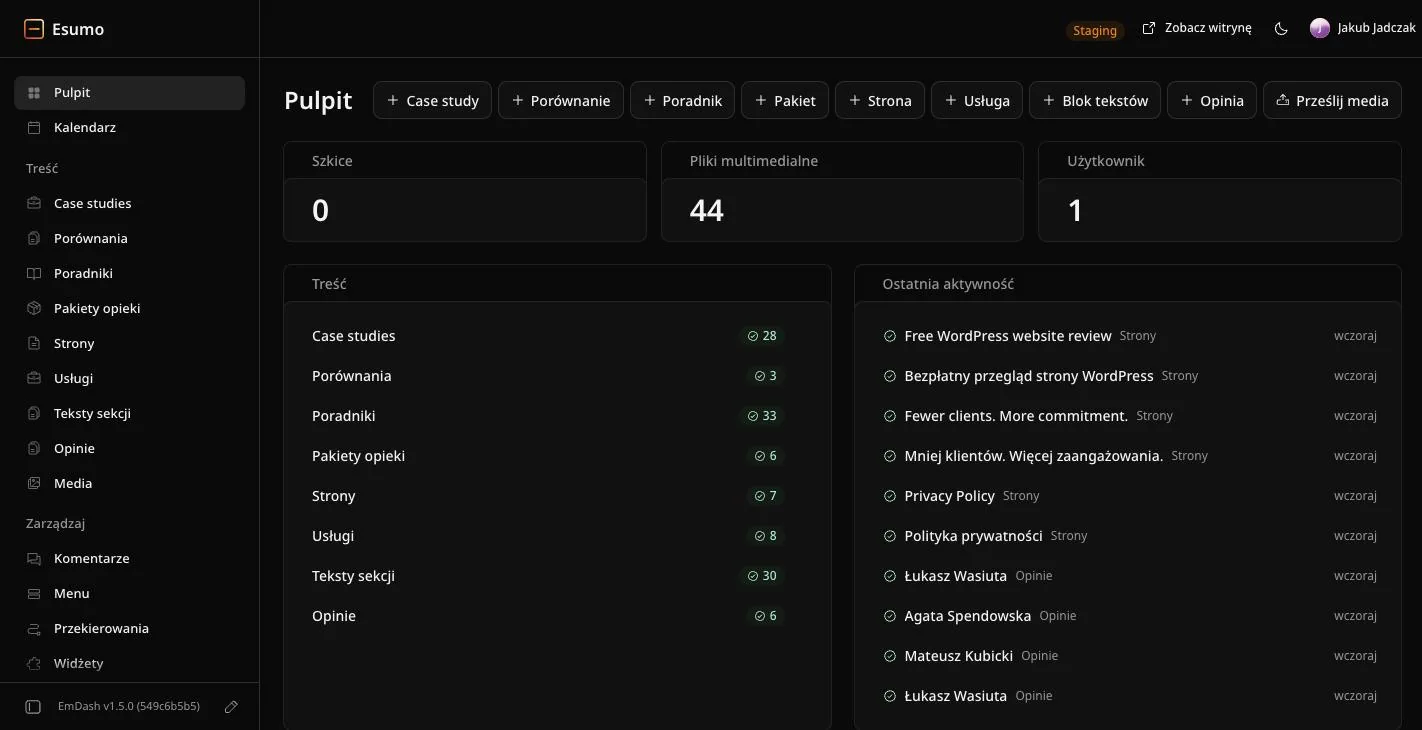
I built the same website, esumo.pl, in three panels to compare them on real content. That's why the panels show the WordPress care offer from the previous version of the site.
Comparison
All three work well for company websites. They differ in where they run, what they cost to run, and how your team works in them.
| Sanity | Payload | EmDash | |
|---|---|---|---|
| Where the panel runs | In Sanity's cloud | On your own server, with a database | On Cloudflare, together with the site |
| Site hosting | Any, including your current host | A server with Node.js (VPS) | Cloudflare |
| Panel cost | The free plan covers most company websites | No licence, you pay for the server | Usually nothing or next to nothing |
| Previewing changes | Live, next to the editor | Preview and drafts | Live preview |
| Best when | Several editors, lots of connected content | Data must stay with you, or the site needs its own logic | A smaller site, a few editors, minimal upkeep |
On a call I show all three demos and we choose the panel for your team together.
How we start
I ask who changes content and how often, and show you the three panels on the same website. After the call I give you a price and a timeline.
I plan the content types and panel fields, and design the site. We agree on everything in a mockup before the build starts.
I build the site on Astro and connect the panel, preview and automatic publishing. I move content from your old site and keep its URLs.
I launch the site, walk your team through the panel and stay available for questions. Further development runs as part of care.
Build prices
The price depends on the number of content types, languages and pages. I give you a fixed amount after a call, before any work starts.
Design and build of a company website with a panel your team edits on its own. The lower end is a site with a few content types in one language, the upper end a multilingual site with a blog and projects.
€2,490–3,790net, one-off
4–8 weeks
Already have a WordPress site? I can move it 1:1 to Astro and add a panel now or later. Prices for sites without a panel are in the Astro website price list.
Plans
A headless CMS website needs almost no updates, so the plan goes into developing the site and the panel, recommendations and UX/UI audits.
A company website on Astro with occasional changes.
€190net / mo
A company that keeps developing its website and wants data-driven decisions.
€390net / mo
Several websites or intensive development.
€690net / mo
Not sure which plan fits? Book a 30-minute call
1:1 site migration€750–1,290 net, one-off
The same look, URLs, redirects and Google rankings, plus speed optimisation and technical SEO recommendations.
New website or landing page – quoted after a call. Get in touch
Monthly contract, 1 month's notice. Prices exclude VAT.
From the knowledge base
FAQ
€2,490–3,790 net for design and build, usually 4–8 weeks. The price depends on the number of content types, languages and pages. I give you a fixed amount after a call.
It depends on the panel. Sanity's free plan covers most company websites. Payload has no licence fee but needs a server, which usually costs a few tens of euros a month or less. EmDash on Cloudflare usually costs nothing or next to nothing at a typical company website's traffic.
Yes. I have the same website built in Sanity, Payload and EmDash. On a call I show all three, and you compare what day-to-day work looks like in each.
Usually it's easier than in WordPress, because the panel only has the fields your content needs. After a short handover, editors work on their own. More in the headless CMS glossary entry.
The site's code and content belong to you. All three panels let you export your content, and the Astro site is separate from the panel, so switching CMS doesn't mean rebuilding the site from scratch.
Yes. With a WordPress to Astro migration the panel can be added straight away or later. I quote it separately, depending on the number of content types.
Other services
Contact
Let's book a short call. I'll show you Sanity, Payload and EmDash on the same website and tell you straight which panel fits your team, or whether you need one at all.
Let's talk about your website